CameraFTP-ondersteuningsforum \
Antwoord
Lezen/Beantwoorden : 8433/2

 Hello, I use my camera to put an image from the camera every 2 minutes. By default, I have this configuration of the HTML code to insert on my website.

https://cameraftpapi.drivehq.com/api/Camera/GetLastCameraImage.aspx?parentID=407607526&shareID=18062546&index=0&width=640&height=480

This is the default image format. I can't change the width and height sections.

Do you know how to do this?

Thank you.


23-9-2025 14:02:24

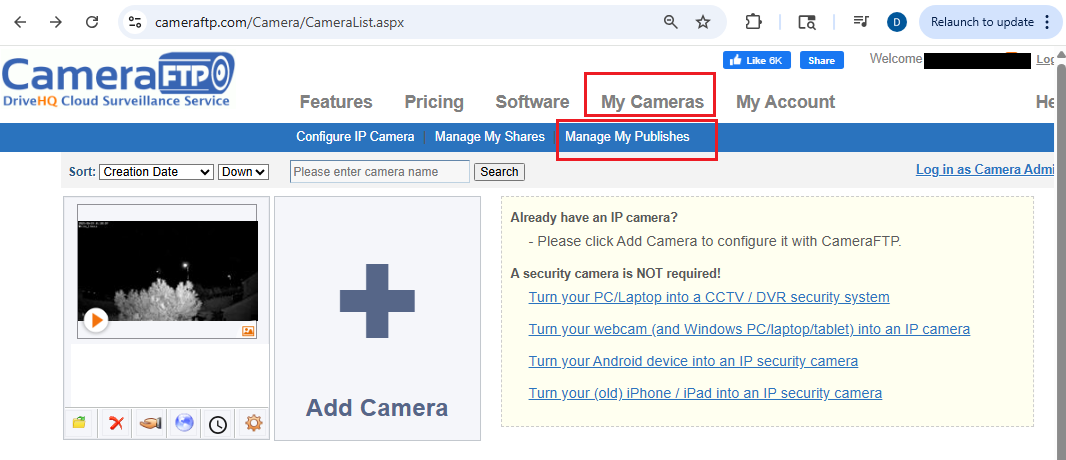
You can directly edit the URL to change the width and height. For more options, please log in to www.cameraftp.com, then go to My Cameras page, click Manage My Publishes, see below:


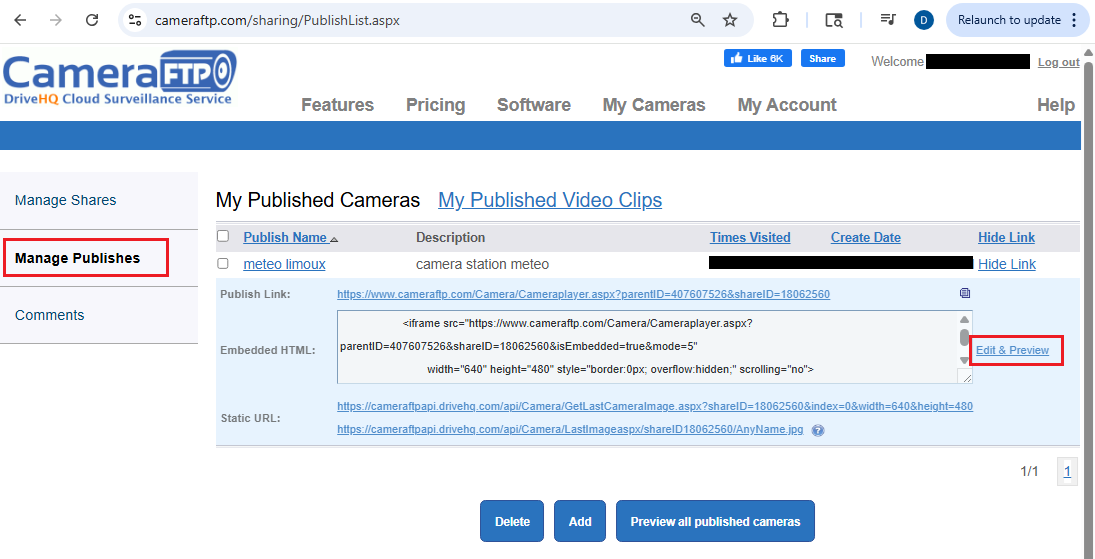
It will display a list of your published cameras. Locate the published camera and click "Edit & Preview":
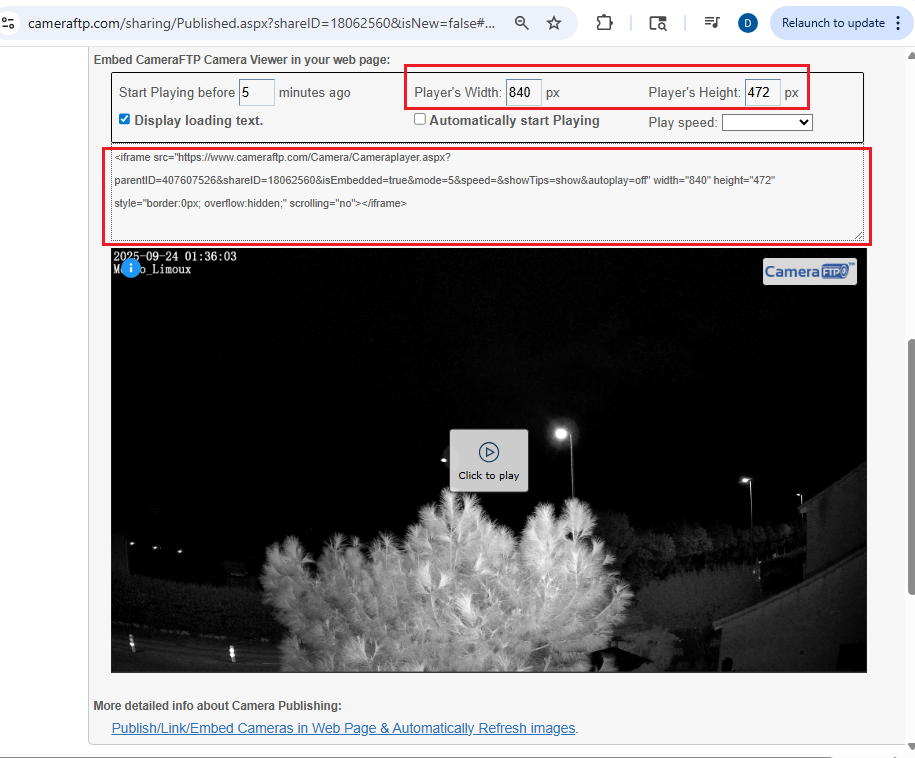
It will open a new browser tab for you to customize the width and height. You can then copy the embed code and paste it into your own web page. It will embed the CameraFTP Viewer in your own web page.


For more info, please visit:

https://www.cameraftp.com/camera/knowledgebase/howtoPublishCamera.aspx



Antwoord
23-9-2025 16:44:50

 great thank you!!


Antwoord
24-9-2025 06:18:45

Voeg toe aan bladwijzers en deel
Snel antwoorden

Alsjeblieft inloggen en antwoord, Nog geen CameraFTP-lid?


Leading Cloud Surveillance service

Leading Enterprise Cloud IT Service Since 2003